













WhatsApp Google Sheets Integration to Manage Leads, Messages & Reports
Automatically send WhatsApp messages from Google Sheets, capture leads, and customer data in Sheets, no manual work required.
Who Can Benefit from This Integration?
Sales Teams
Sales teams often find it difficult to manually update prospects on deal progress. Keeping your customers updated via personalized messages can take up valuable time each day.
Event Planners
Event planners require sharing timely updates and reminders with attendees. Sending the messages one by one can be very time-consuming and increase the chances of mistakes.
Customer Support Teams
The support team needs to regularly send responses and updates to customer queries recorded in Google Sheets. Manually checking and responding to each can lead to delay and the overlooking of messages.
E-Commerce Vendors
E-Commerce vendors usually face challenges when it comes to notifying clients of their order confirmation or shipping updates. It can be difficult to manage the process when done manually.
Educational Institutions
Education institution often need to share grades and important announcements with students and parents. Doing it manually via WhatsApp can be a bit overwhelming and an ineffective process.
Operations Teams
Operations teams often struggle to keep track of task updates and workflow changes recorded in Google Sheets. Sending manual status updates to the right people at the right time can slow down processes and lead to miscommunication.
Why WhatsApp Google Sheet Integration
Real-Time Sales Notifications
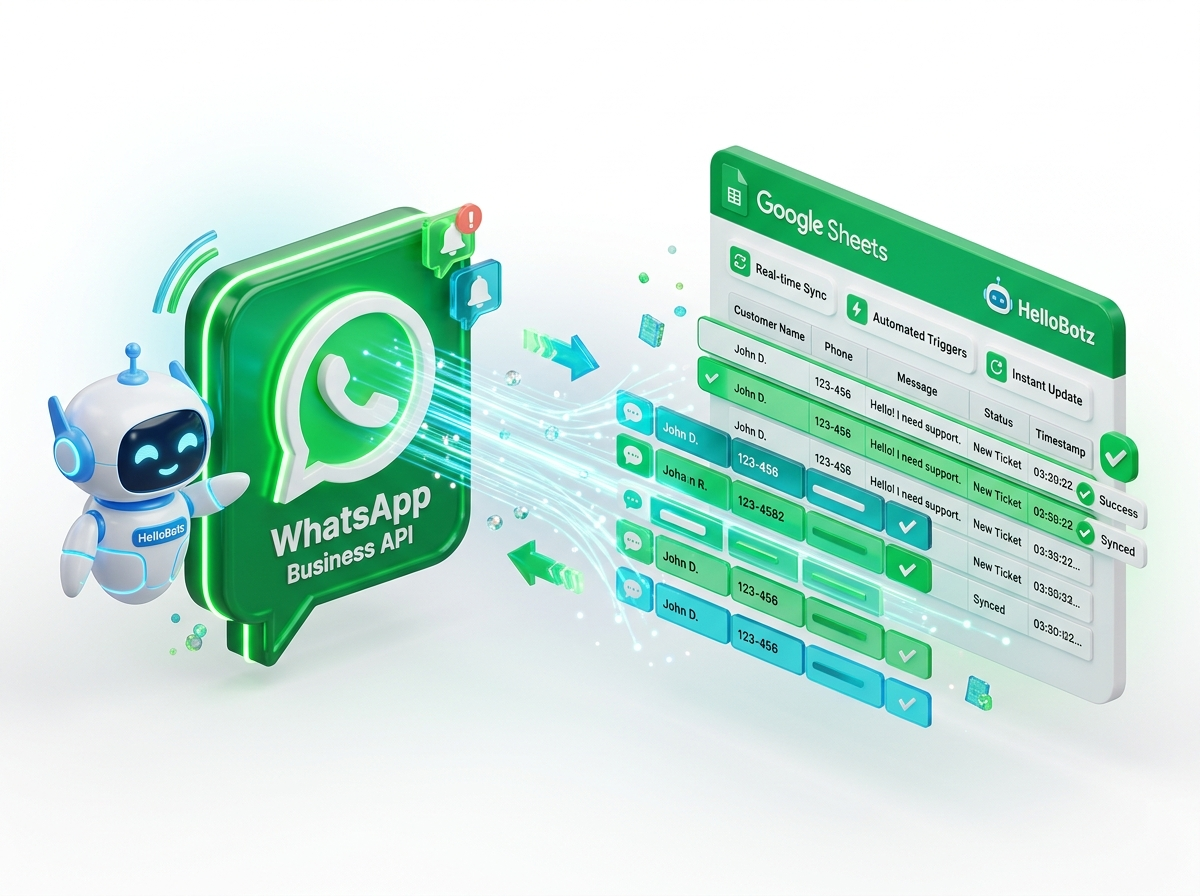
Whenever a new entry is added to Google Sheets with sales data, an instant WhatsApp message can be sent to your clients. It keeps them informed in real-time without any manual efforts.
Automated Event Reminders
Use Google Sheets to record event schedules and automatically send reminder messages to participants via WhatsApp. This ensures timely conversation and decrease chances of missed events.
Instant Support Team Alerts
When a customer inquiry is added to your support sheet in Google Sheets, send an automatic WhatsApp message to notify your support team. It boosts response times.
Order Status Updates
Send automatic WhatsApp messages to customers when their order status is updated in Google Sheets. It keeps your delivery smooth and hassle-free.
Seamless Grade Distribution
Enter student grades into Google Sheets and send personalized WhatsApp notifications to each student or parent. It is an effective method to share important academic updates when it matters the most.
How to Connect Google Sheets with HelloBotz WhatsApp Business API
Launch the integration and prepare your sheet. Make sure it contains a phone number column with country codes (e.g., 9198xxxxxxxx) and clean header rows before proceeding to the next step.
Open your Google Sheet and copy the Spreadsheet ID found between /d/ and /edit in the URL. Paste the ID into the given field and click “Next Step” to continue.
Authorize Getgbas to securely access your Google Account by clicking “Sign in with Google”. Your data stays safe, and only spreadsheets you approve will be accessed. Click “Next Step” to proceed.
Select the specific sheet or tab from your connected Google Spreadsheet that includes your customer data. Verify that columns are correct and updates before tapping on “Next Step”.
Match your Google Sheet columns like Name, Phone, and Order ID with the corresponding WhatsApp message template variables. It ensures accuracy and personalization in each message automatically.
Select when and how frequently your WhatsApp messages are sent. Send then instalty when new data is added or schedule them at a preferred time to align with your workflow.
Explore More WhatsApp Business API Integrations
Discover all supported integrations and connect WhatsApp with your favorite platforms to automate conversations and workflows.
 Shopify
 WooCommerce
 Gotab
Gotab
 Wortal
 Shiprocket
 Zoho
Zoho
 Google Sheet
 n8n
Shopify
WooCommerce
Gotab
Wortal
Shiprocket
Zoho
Google Sheet
n8n
Shopify
WooCommerce
Gotab
Wortal
Shiprocket
Zoho
Google Sheet
n8n
Shopify
WooCommerce
Gotab
Wortal
Shiprocket
Zoho
Google Sheet
n8n
n8n
Shopify
WooCommerce
Gotab
Wortal
Shiprocket
Zoho
Google Sheet
n8n
Shopify
WooCommerce
Gotab
Wortal
Shiprocket
Zoho
Google Sheet
n8n
Shopify
WooCommerce
Gotab
Wortal
Shiprocket
Zoho
Google Sheet
n8n
Department Wise Uses of WhatsApp Official API
See how WhatsApp Business Platform helps businesses boost marketing, streamline sales, and improve customer support.
WhatsApp for Marketing
Reach customers instantly with high-engagement broadcasts and personalized offers.
Learn moreWhatsApp for Sales
Convert chats into sales with automated workflows, lead management, and fast follow-ups.
Learn moreWhatsApp for Support
Provide fast, reliable customer support with instant replies and automated ticket management.
Learn more